Toggl dibangun atas dasar kepercayaan. Timemoz menambahkan bukti yang bikin Anda dibayar.
Toggl Track tidak punya screenshot di paket manapun, dan approval timesheet baru ada di Premium seharga $18 per kursi — $2.160 setahun untuk sepuluh orang. Timemoz kasih bukti yang mengutamakan privasi dan approval di paket gratis.
Pengguna & proyek tanpa batas · Minimum 2 kursi · Tanpa pembayaran awal
Sumber: toggl.com/track/pricing, diverifikasi 19 Agustus 2026. Premium $18 per kursi per bulan untuk tagihan tahunan, $20 untuk bulanan.
Klien tanya apa saja yang sudah dikerjakan. Anda ekspor CSV dan berharap cukup.
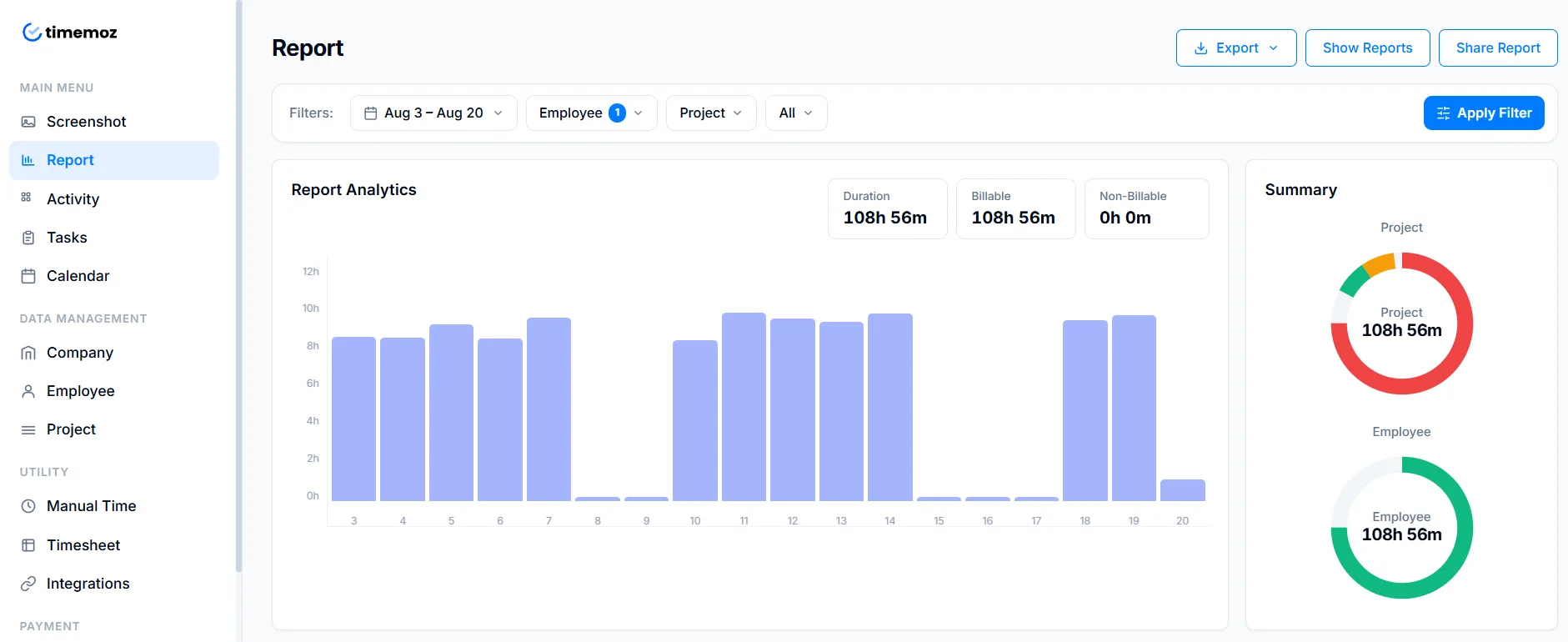
Blur otomatis, approve, kirim invoice dengan bukti terlampir.
Toggl kenakan $18 per kursi untuk fitur yang gratis di Timemoz
Approval, biaya tenaga kerja, dan profitabilitas semuanya ada di atas garis itu. Kalau Anda menagih klien per jam, itulah garis yang pertama kali Anda lewati.
IDR 0 — dibatasi 5 pengguna
Time tracking, laporan, integrasi kalender, ekstensi browser. Tanpa tarif billable. Tanpa approval. Tanpa screenshot, sama sekali.
$9 per kursi
Tarif billable, estimasi proyek, peringatan budget. Tetap tanpa alur approval — tidak ada yang berdiri antara jam tercatat dan invoice.
$18 per kursi
Approval, biaya tenaga kerja, profitabilitas, laporan terjadwal. Untuk sepuluh orang itu $180 sebulan — meski hanya manager yang perlu approve sesuatu.
Harga $14 yang mungkin pernah Anda lihat itu tarif tahun pertama
Toggl mengiklankan Premium seharga $14 per lisensi per bulan, dengan catatan kecil: harga itu berlaku untuk tahun pertama langganan Premium tahunan, lalu diperpanjang seharga $18. Layak dimasukkan ke budget tiga tahun Anda, bukan cuma invoice pertama.
| Tim sepuluh kursi | Toggl Premium | Timemoz Free |
|---|---|---|
| Tahun 1 | $1,680 | IDR 0 |
| Tahun 2 | $2,160 | IDR 0 |
| Tahun 3 | $2,160 | IDR 0 |
| Total tiga tahun | $6,000 | IDR 0 |
Tahun kedua naik $480 tanpa fitur baru. Saat itu data, kebiasaan, dan integrasi Anda sudah terlanjur ada di sana.
Feedback asli dari pelanggan Timemoz — bukan orang yang pindah dari Toggl, tapi bukti platform ini andal dipakai sehari-hari
“Timemoz sangat membantu untuk kebutuhan HR — semuanya berjalan dalam satu platform, dari memantau produktivitas tim sampai mengurus absensi dan payroll. Alat yang solid dan praktis, langsung kerja sesuai fungsinya.”
Kursi tidak bisa dikurangi dengan mulus
Toggl menagih per kursi, tahunan, di muka. Menurut laporan pengguna, menghapus satu kursi di tengah masa langganan tidak menghasilkan refund pro-rata. Untuk agensi yang jumlah timnya mengikuti beban klien, itu kapasitas berbayar yang tidak terpakai.
Gratis lawan gratis, di situlah bedanya
Toggl Free dibatasi lima pengguna, tanpa bukti dan tanpa approval. Timemoz Free tanpa batas pengguna, sudah termasuk approval, dan sudah termasuk screenshot opsional. Harga sama, batasan beda.
Harga paket dan fitur Toggl diambil dari toggl.com/track/pricing pada 19 Agustus 2026. Harga belum termasuk PPN. Paket bisa berubah — cek dulu sebelum memutuskan.
Kepercayaan tidak menyelesaikan invoice yang disengketakan
Sikap Toggl yang tanpa screenshot adalah filosofi asli, bukan kealpaan. Pertanyaannya adalah siapa yang menanggung akibatnya saat klien bertanya apa yang terjadi selama enam jam itu.
Tanpa screenshot, sesuai kebijakan
- ✕Tidak ada fitur screenshot di paket manapun, dinyatakan terbuka di pusat bantuan mereka
- ✕Tidak ada activity level, tidak ada catatan app atau URL untuk merekonstruksi satu sesi kerja
- ✕Timer yang lupa dimatikan tidak menyisakan apa pun untuk menyusun ulang harinya
Sangat cocok untuk konsultan solo dengan sistem retainer. Lebih sulit saat klien mempertanyakan satu item tagihan tiga minggu kemudian.
Privacy shield, di paket gratis
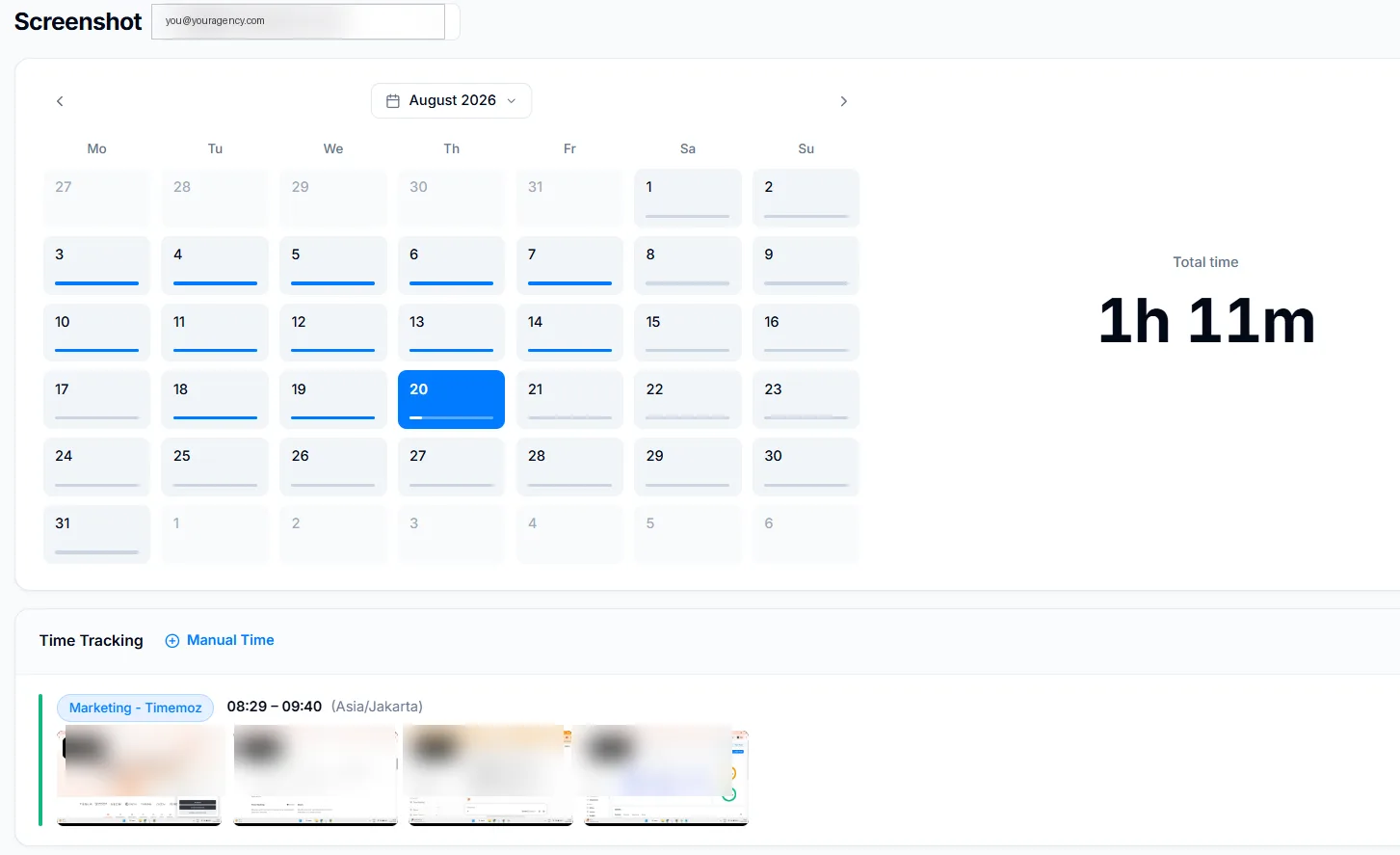
- ✓Screenshot opsional, diblur secara default, hanya diambil selama timer berjalan
- ✓Activity level dari frekuensi mouse dan keyboard — tanpa keystroke logging
- ✓Pelacakan app dan URL selama timer berjalan, terlihat oleh orang yang dilacak
- ✓Anggota tim bisa memblur dan menghapus hasil tangkapan mereka sendiri
Cukup bukti untuk mempertahankan sebuah invoice. Tidak berlebihan sampai membuat orang baik resign.
Anda mengejar timesheet. Toggl kenakan $18 supaya Anda berhenti mengejar.
Ini yang sering bikin tim kena batunya. Semua orang senang melacak waktu selama berbulan-bulan, lalu akhir bulan tiba dan tombol approve ternyata tidak ada.
Tanpa alur approval
Anda mengirim pesan Slack minta orang submit. Tidak ada yang terkunci setelah submit. Payroll menunggu siapa pun yang paling terakhir membalas.
Approval baru terbuka di $18
$2.160 setahun untuk sepuluh kursi. Approval adalah fitur tingkat paket, bukan berbasis peran, jadi Anda bayar untuk seluruh tim demi satu tombol untuk satu manager.
Approval sejak hari pertama
Submit, review, approve atau reject dengan komentar, auto-lock setelah disetujui, jejak edit lengkap. Sudah termasuk di IDR 0.
Laporan seharusnya menghasilkan invoice, bukan kerjaan tambahan
Pelaporan Toggl
- ✕Ekspor CSV, rapikan di spreadsheet, tambahkan logo, ubah ke PDF
- ✕Laporan terjadwal butuh Premium — pengguna gratis mengulanginya manual
- ✕Tidak ada bukti untuk disertakan, karena memang tidak ada bukti yang ditangkap
Laporan klien Timemoz
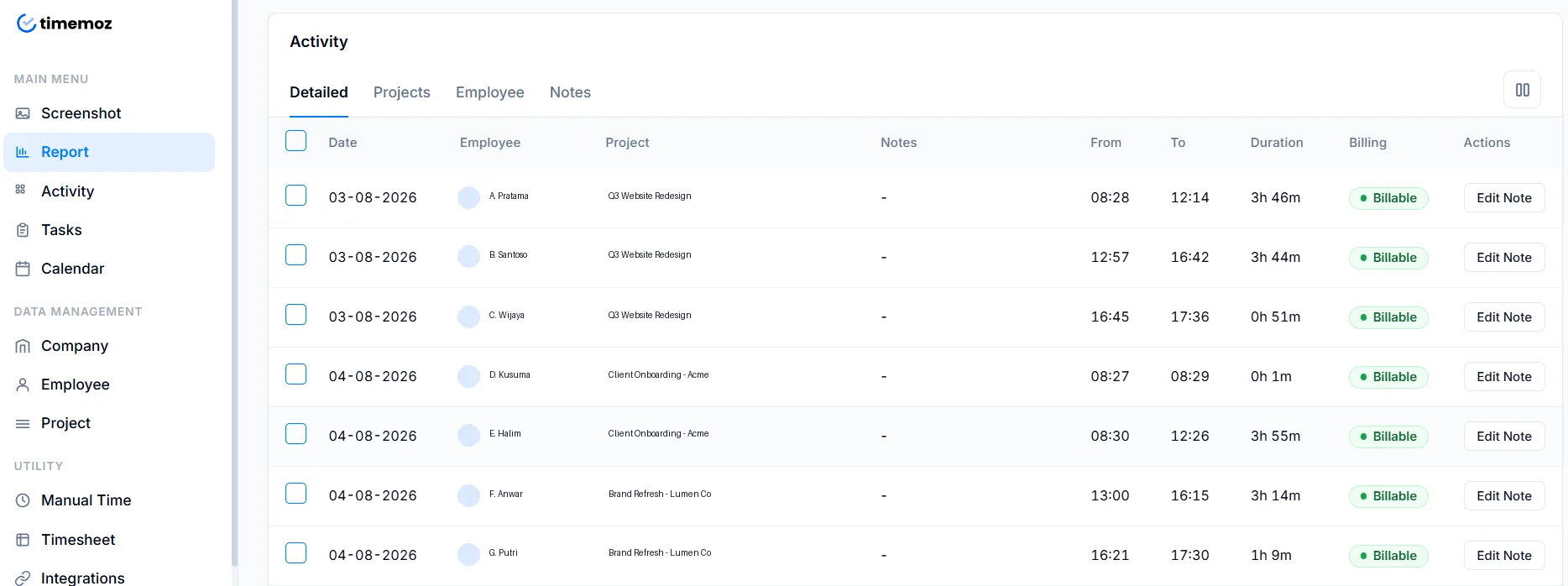
- ✓Jam yang disetujui, activity level, dan bukti blur dalam satu ekspor
- ✓Paket gratis: lihat di app, tiga kali ekspor sebulan
- ✓Pro $4.99: ekspor tanpa batas, PDF dan link berlogo klien, riwayat permanen
Empat hal yang ditemukan tim setelah tiga puluh hari pakai Toggl
Tema yang berulang di G2 dan Capterra, bukan materi marketing.
Timer yang lupa dimatikan semalaman
Tutup laptop tanpa menghentikan timer dan Anda menagih empat belas jam. Paket gratis Toggl tidak punya deteksi idle. Timemoz mengingatkan Anda untuk simpan atau buang waktu idle di semua paket.
Jeda sinkronisasi antara desktop dan browser
Entri muncul di satu tempat tapi tidak di tempat lain, dan menurut ulasan pengguna aplikasi Windows-nya lambat dibuka. Saat Anda menagih dalam satuan enam menit, friksi itu bisa mematikan adopsi.
Tidak ada tampilan kapasitas harian
Anda tidak bisa tahu apakah seseorang masih punya enam jam tersisa atau sudah kelebihan beban. Timemoz menampilkan badge dalam aplikasi begitu sebuah proyek melewati ambang budget-nya, gratis.
Tidak ada yang bisa disusun ulang
Tanpa screenshot, activity level, atau catatan app, timer yang lupa dimatikan berarti jam kerja itu hilang begitu saja. Klien mempersoalkan, dan Anda tidak punya apa pun untuk ditunjukkan.
Tema ini diambil dari ulasan publik Toggl Track di G2 (1.589 ulasan, 4,6/5) dan Capterra, dibaca 19 Agustus 2026. Pengalaman tiap orang bisa berbeda.
Timemoz Free vs Toggl, fitur demi fitur
Warna merah menandai fitur yang butuh Toggl Premium seharga $18 per kursi dan sudah termasuk di paket gratis Timemoz.
← geser tabel ke samping →
| Fitur | Timemoz Free $0 | Timemoz Pro $4.99 | Toggl Free | Toggl Premium $18 |
|---|---|---|---|---|
| Pengguna | Tanpa batas, minimum 2 kursi | Tanpa batas | Maks. 5 | Tanpa batas, per kursi |
| Proyek tanpa batas | Ya | Ya | Ya | Ya |
| Tarif tagihan berlapis | Ya | Ya | Tidak | Ya, mulai dari Starter |
| Approval timesheet | Ya | Ya | Tidak | Hanya Premium |
| Deteksi idle | Ya | Ya | Tidak | Ya |
| Screenshot | 640×360 | 1920×1080 | Tidak pernah ada | Tidak pernah ada |
| Activity level | Ya | Ya | Tidak | Tidak |
| Pelacakan app & URL | Ya | Ya | Tidak | Tidak |
| Biaya tenaga kerja & profitabilitas | Tidak | Ya | Tidak | Hanya Premium |
| Laporan terjadwal | Tidak | Ya | Tidak | Hanya Premium |
| Retensi screenshot | 7 hari | Selamanya | n/a | n/a |
| Riwayat data | 3 bulan | Selamanya | Lengkap | Lengkap |
| Ekspor laporan | 3 per bulan | Tanpa batas | CSV manual | Manual + terjadwal |
| Peringatan budget | Badge dalam aplikasi | Email + Slack | Tidak | Ya |
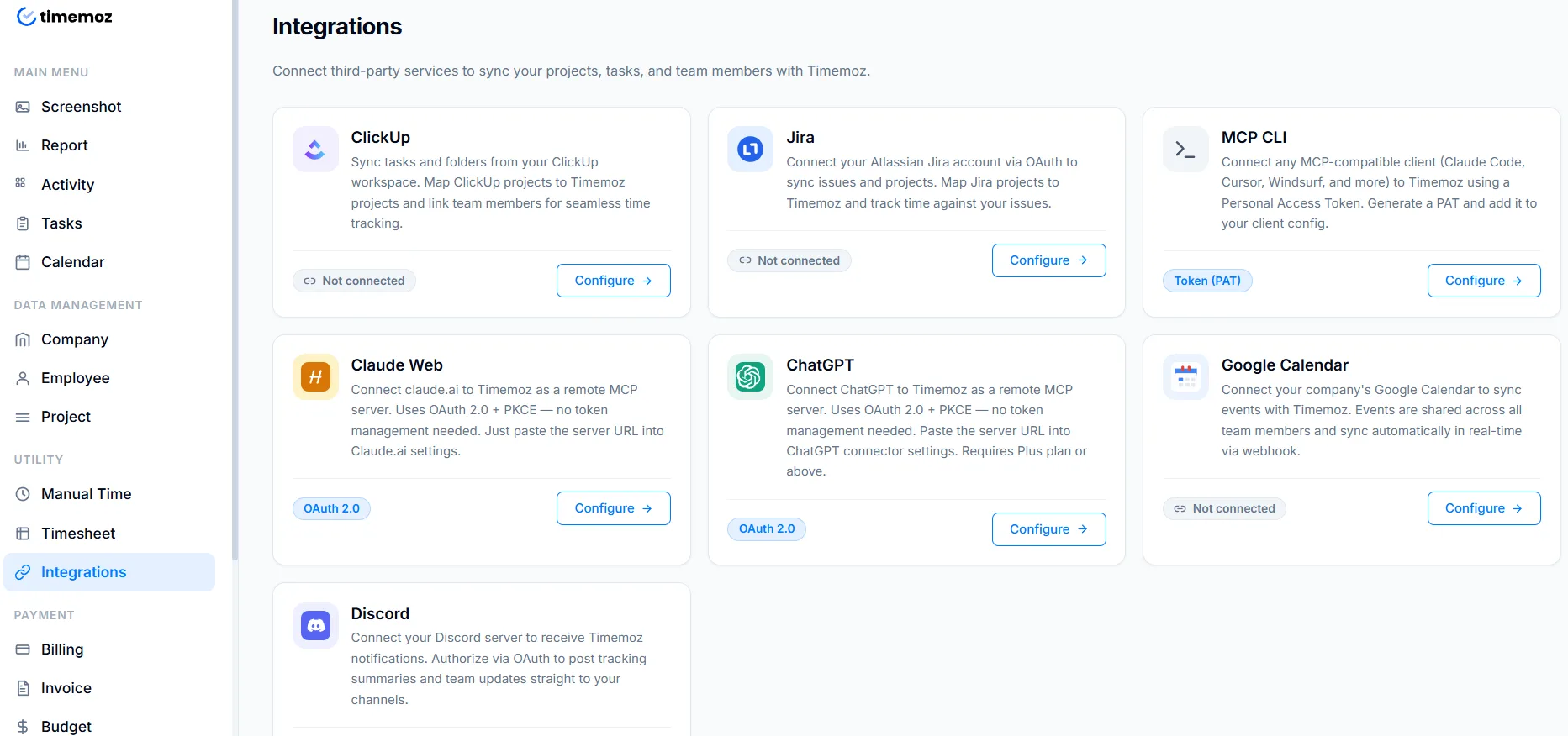
| Integrasi | Slack, ClickUp, Discord, Telegram | Sama | 100+ lewat ekstensi | 100+ ditambah Jira, Salesforce |
Baris Timemoz diambil dari timemoz.com/pricing/time-tracker. Baris Toggl diambil dari toggl.com/track/pricing, keduanya dibaca 19 Agustus 2026.
Pindah cukup butuh satu sore, bukan satu kuartal
Tanpa telepon sales, tanpa pembayaran awal, dan tidak perlu membatalkan Toggl di hari pertama.
- 1Ekspor dari TogglReports → Export. Dua klik. Proyek, klien, dan tag ikut terbawa.
- 2Unggah ke TimemozMasukkan file CSV-nya. Field otomatis terpetakan, tarif dan entri tetap tersimpan.
- 3Jalankan keduanya selama semingguUndang tim Anda, biarkan Toggl tetap berjalan paralel, lalu batalkan di tanggal perpanjangan Anda.
Batalkan saat perpanjangan, bukan di tengah masa langganan — Toggl menagih tahunan di muka dan menurut laporan pengguna tidak ada refund pro-rata untuk kursi yang dihapus di tengah jalan.
Di mana Toggl unggul, dan kami akan bilang jujur
Dua area di mana mereka memang lebih unggul. Kalau salah satunya menggambarkan Anda, tetap saja di sana.
Katalog integrasi yang jauh lebih besar
Toggl: 100+ integrasi plus ekstensi browser yang mencakup banyak tool niche, dibangun sejak 2007, dengan integrasi native Jira dan Salesforce di Premium.
Timemoz: Slack, ClickUp, Discord, dan Telegram — tool yang jadi andalan sehari-hari kebanyakan agensi, dan belum ada yang lain di luar itu.
Paling cocok untuk: tim yang alur kerjanya bergantung pada satu sinkronisasi spesifik yang tidak boleh diutak-atik.
Lebih sederhana kalau Anda tidak pernah butuh bukti
Toggl: Timer satu klik dengan autotracker yang sangat bagus dan integrasi kalender. Benar-benar pengalaman harian yang lebih enak untuk kerja solo.
Timemoz: Timer satu klik yang sama, dengan approval dan bukti terlampir. Itu artinya lebih banyak fitur kalau Anda tidak pernah memakainya.
Paling cocok untuk: konsultan solo yang menagih berdasarkan kepercayaan dan tidak pernah menyetujui jam kerja siapa pun.
Toggl vs Timemoz — pertanyaan umum
Dibayar karena ada bukti, bukan cuma karena dipercaya
Toggl mencatat. Timemoz membuktikan. Approval, tarif tagihan, dan bukti screenshot blur ada di paket gratis — tanpa pajak kursi $18.
Pengguna & proyek tanpa batas · Minimum 2 kursi · Tanpa pembayaran awal
- ✓Pengguna dan proyek tanpa batas
- ✓Approval timesheet dengan komentar dan lock
- ✓Tarif tagihan berlapis per klien dan per orang
- ✓Screenshot blur dan activity level
- ✓Pelacakan app dan URL selama timer berjalan
- ✓Riwayat tiga bulan, tiga kali ekspor sebulan