

Employee monitoring is the collection and review of information about workers' activity, behavior, or use of work systems. Employee time tracking records when people work and how long they spend on tasks or projects. The key difference is scope and purpose: time tracking primarily accounts for work hours, while monitoring may also examine screenshots, application use, websites, location, or activity signals. Time tracking can itself be a form of employee monitoring, which is why a clear, shared policy matters.
The practical choice is to collect only the information needed for a defined business purpose. Start with timesheets for payroll or client billing, add activity information when it serves a clear goal, disclose it to employees, limit access, and review whether the data improves decisions. Timemoz Time Tracker supports time records, timesheet approvals, reports, and configurable screenshot settings, and the Timemoz team can help you roll it out with a transparent workplace policy.
TL;DR: Employee Monitoring vs Time Tracking
- Time tracking: records start/end times, duration, projects, tasks, and approved timesheets for payroll, billing, and workload planning.
- Employee monitoring: can include time data plus activity levels, app/URL usage, screenshots, location, or security events. It is a broader practice, not a single software feature.
- Overlap: a time tracker with screenshots or app tracking performs some monitoring. The distinction depends on configuration and use, not branding.
- Privacy-first rule: define a purpose, choose the least intrusive signal that meets it, tell workers what is collected, restrict access, and establish retention and correction procedures.
- Legal context: Indonesia's Law No. 27 of 2022 on Personal Data Protection (PDP Law) calls for limited, specific, lawful, transparent processing under Article 16(2). Article 20 sets out lawful bases for processing, and consent is one of several options.
- Timemoz fit: published product information lists time tracking, timesheets, app/URL tracking, activity levels, screenshot controls, and role-based permissions. Employers can enable only the signals they need.
What Is Employee Monitoring?
Employee monitoring is the observation or analysis of work-related information about employees. Uses range from security logs to screen capture, with different privacy implications.
Five Common Monitoring Signals
| Signal | What it can show | Context to add |
|---|---|---|
| Application and URL usage | Which work tools or websites were accessed | Output produced with those tools |
| Activity level | A measure of device interaction | Quality, attention, and effort from outcomes |
| Screenshots | Visual context at a capture point | Full work output and intent from the person |
| GPS or location | A recorded location at a defined event | Task completion from delivery records |
| Security audit logs | Account or system events | Overall performance from outcomes and reviews |
Monitoring data works best as context, not as a performance score. Meetings, research, thinking, calls, and offline work are valuable even when keyboard or mouse activity is low. A policy that pairs activity data with outcomes recognizes all legitimate work.
What Is Employee Time Tracking?
Employee time tracking records the duration and allocation of work. A timesheet commonly contains a person's work date, start and end times or duration, project or task, and a review status. Its outputs are reviewable work-hour reports.
Four Common Time-Tracking Uses
- Payroll: reconcile hours and corrections before processing.
- Billing: link approved project hours to client rates.
- Budgets: compare actual hours against planned capacity.
- Workload: identify imbalances and recurring overwork.
Time records are personal data too. Handle them with the same privacy good practice as any other employee information.
Employee Monitoring vs Time Tracking: Side-by-Side Comparison
| Dimension | Time tracking focus | Broader employee monitoring focus |
|---|---|---|
| Main question | How many hours were worked, and on what? | What activity occurred within defined work systems? |
| Typical information | Duration, project, task, timesheet approval | Activity level, apps/URLs, screenshots, location, security events |
| Common business use | Payroll inputs, client billing, budgets | Security, troubleshooting, process analysis, limited verification |
| Intrusiveness | Usually lower with basic timesheets | Can be higher, depending on settings |
| Best success metric | Accurate, reviewable hours | A documented purpose met without unnecessary data |
| Main misuse risk | Incorrect time records or excessive inference | Intrusion, decontextualized screenshots, unfair scoring |
Start with the least intrusive suitable configuration. Agency invoicing is well served by approved timesheets; security investigations are well served by audit logs.
When Should a Business Use Time Tracking Instead of Monitoring?
Choose time tracking when the question is hours, cost, billing, or capacity. Add further monitoring signals with an explicit justification and privacy review.
Agency Billing: Timesheets Before Screenshots
A fictional agency with 12 employees and 6 client projects needs task-linked hours, corrections, and approval. Verified project timesheets give the billable-hours total directly, so you can start there.
Hybrid Performance: Outcomes Before Activity Scores
Suppose two employees each log 40 hours. One spends much of that time on calls; the other edits documents. Review delivery quality and blockers first, then use device-interaction data as supporting context.
How to Build a Transparent Employee Tracking Policy
A good policy specifies what is tracked, why, when, by whom, and for how long. Document it before enabling monitoring and give employees a clear route to inspect or correct their records.
Step 1: State a Purpose for Each Signal
Match each data type to a real decision: timesheets for invoices, security logs for investigations, attendance records for shift verification. The UK's ICO recommends necessity, proportionality, and transparency: worker monitoring guidance, a useful reference point for Indonesian teams.
Step 2: Choose the Least Intrusive Configuration
Begin with time entries and approvals. If screenshots are part of the plan, explain why they are needed, use the blur or disable options, and consider accidental collection of personal information. Enable the features that serve your purpose.
Step 3: Notify Employees Before Collection
Explain when tracking is active, which systems and data are involved, who can access them, and how records are reviewed. According to the ICO, transparency builds workplace trust.
Step 4: Limit Access, Retention, and Errors
Restrict data by role, document retention rules, and provide correction procedures. Let employees explain offline work, meetings, and mistaken entries. Review low activity signals with context before drawing conclusions.
Step 5: Assess the Local Legal Basis
In Indonesia, Article 16(2) of Law No. 27 of 2022 calls for personal-data collection that is limited, specific, lawful, and transparent. Article 20 sets out possible lawful bases, including certain contractual obligations, legal obligations, consent, and other legitimate interests with safeguards. If you rely on consent, Articles 21–22 specify information and recording requirements. Your legal counsel can select the basis that fits your employment context, and the Timemoz team can help configure the product to match. Source: Indonesia Ministry of Communication and Digital Affairs legal database, Law No. 27/2022.
How to Measure Results Without Turning Activity Into a Ranking
Separate administrative accuracy from employee performance. Track whether timesheets are complete, whether managers resolve corrections promptly, and whether team workloads are sustainable. Evaluate delivery quality using the outcomes appropriate to the role.
A Fictional Four-Week Pilot
Assume a 20-person service team runs a four-week pilot. These are illustrative planning values.
| Metric (fictional) | Starting point | End point | Interpretation |
|---|---|---|---|
| Timesheets submitted on schedule | 15/20 (75%) | 19/20 (95%) | Administrative completion improved |
| Unresolved weekly corrections | 8 | 3 | Fewer open discrepancies |
| Client project hours categorized | 160/200 (80%) | 190/200 (95%) | Better allocation for billing |
| Deliverables accepted on time | 9/10 (90%) | 9/10 (90%) | Outcome held steady |
Chart: timesheet completion, hours categorized, and on-time deliverables (% before and after)
| Timesheets on time: start | ███████████████████████████ | 75% |
| Timesheets on time: end | ██████████████████████████████████ | 95% |
| Hours categorized: start | █████████████████████████████ | 80% |
| Hours categorized: end | ██████████████████████████████████ | 95% |
| Deliverables on time: start | ████████████████████████████████ | 90% |
| Deliverables on time: end | ████████████████████████████████ | 90% |
Chart: unresolved weekly corrections (count before and after)
| Unresolved corrections: start | ██████████████████████████████████ | 8 |
| Unresolved corrections: end | █████████████ | 3 |
The example shows administrative improvement: better timesheet completion means more reliable records for payroll and billing, while delivery quality stays steady. If the team prefers a lighter setup, reduce the scope and check that it still serves the business purpose.
What Timemoz Time Tracker Offers
Timemoz Time Tracker combines time records and optional work-visibility signals in one product. Its current English pricing page lists timer and manual entries, timesheets, project budgets, timesheet approvals, activity levels, app/URL tracking, screenshots, and exports across published packages. Signature adds automatic idle detection, overtime rules and approval, and advanced reports, while Core covers the essentials for time records and timesheet approvals.
Screenshot visibility is policy-driven. Timemoz's English homepage says screenshot collection can be configured, blurred, or disabled and that employees can see their own data. See the exact settings, access controls, and retention options in a demo with the Timemoz team.
Timemoz provides the records and controls; your management team applies human context to decisions. Companies set their own monitoring policy, explain tracking to workers, protect records, and review decisions with context. Timemoz's terms state that the service must not be used to monitor people without their knowledge when such knowledge is legally required, which supports a transparent rollout.
Overtime features: overtime rules and approval are available in Signature and Enterprise.
Trade-Offs, Edge Cases, and Risks to Review
Creative Work, Remote Work, and Personal Devices
Low input activity can reflect valuable work. Client calls, planning, design reviews, and thinking may not generate clicks. Ask for context and judge agreed outcomes. On personal devices, limit collection to necessary work data and explain boundaries before deployment.
Screenshots and Confidential Material
Screenshots may capture client or employee-sensitive information. Minimize capture, limit access, and use blur or disable settings where appropriate. Collect personal data on company-owned devices only as far as the policy requires.
Cross-Border Teams
Privacy and employment laws differ across jurisdictions. Indonesian PDP requirements and UK GDPR guidance each apply in their own context. Legal counsel can map local obligations and employee-data transfers for your teams.
Frequently Asked Questions
Is time tracking the same as employee surveillance?
Time tracking can be a form of monitoring. Basic timesheets record hours; screenshots, activity scores, and app tracking collect more information. Purpose and configuration determine the impact.
Can monitoring software measure productivity accurately?
Productivity is best read from several signals. Combine deliverables, work quality, collaboration, and employee explanations with time data.
Are employee screenshots legal in Indonesia?
Legality depends on purpose, lawful basis, safeguards, and context. The PDP Law calls for limited, specific, lawful, transparent processing. Your legal team can review screen capture before rollout.
Do employers need employee consent for time tracking?
Consent is one of several possible legal bases. Article 20 of Indonesia's PDP Law provides multiple bases. Your counsel can determine the applicable one, and clear notices to employees support any choice.
Can Timemoz run without screenshots?
Yes. Timemoz says screenshots can be configured, blurred, or disabled. Choose settings according to your documented purpose.
Which is better for agency billing?
Start with approved project timesheets. Add other signals when their value is clear and the privacy impact is addressed.
Conclusion: Track What You Need, Not Everything You Can
Time tracking answers how long work took; broader monitoring can collect additional evidence about work-system activity. Define the question, collect proportionate data, protect employee privacy, and evaluate actual results rather than activity alone.
For agencies and hybrid teams, Timemoz Time Tracker provides recorded hours, timesheet workflows, and configurable visibility features. Review the options at Time Tracker pricing, start a 14-day trial, or schedule a demo to design a transparent rollout.
Sources
- Indonesia Law No. 27 of 2022 — Articles 16, 20–22.
- ICO monitoring workers guidance — UK reference guidance.
- Timemoz pricing, website, terms — product information.
- All scenarios and pilot figures are fictional illustrations.
Latest Articles
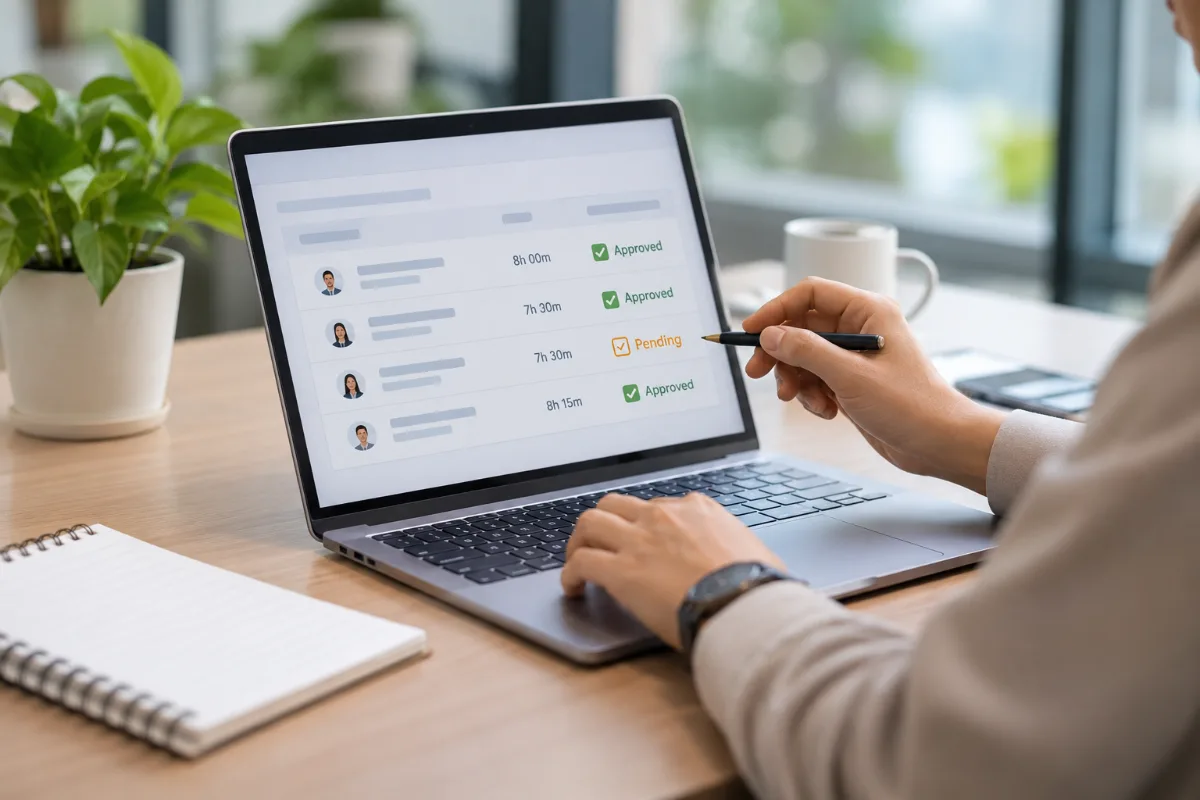
How to Automate Employee Timesheet Approval Without Spreadsheets
Automate timesheet approval: standardize entry rules, assign approvers, review exceptions on a schedule, and export only approved records.

How to Calculate Project Profitability Using Time Tracking Data
Calculate project profit from tracked hours: multiply hours by fully loaded hourly cost, add direct expenses, and compare with revenue.

Enterprise Workload Management: How to Optimize Team Capacity
Optimize team capacity: forecast demand by department, calculate realistic available hours, compare planned and actual workload, and rebalance.