Timemoz vs Clockify: built for HR in Indonesia
Clockify Free is capped at 5 users with no billable rates, Standard $5.49/user/mo adds approvals, and Pro $7.99 adds screenshots. Timemoz Core is $4.99/user/mo billed annually (2 user minimum) and includes all of it, plus unlimited projects and no 10-minute penalty.
Try Free for 14 Days · No credit card · Cancel anytime
5 users max, no screenshots, approvals only on Standard $5.49 ($658.80/year).
Need upgrade for proof
Privacy shield in your hands, clear a capture with no penalty, hours stay accurate, budgets included.
Core, 2+ users
Clockify: Free has no billable rates, approvals require Standard ($5.49/user), and screenshots require Pro ($7.99/user). Timemoz Core ($4.99/user) includes unlimited users and projects, plus proof, approvals, and budgets. Privacy shield.
Clockify charges for basics. Timemoz includes them in Core.
Timemoz Core: everything included, proof without surveillance
- ✓Unlimited users (2 user min), unlimited projects
- ✓Privacy shield captures, unlimited Full HD on Core, clear anytime with no penalty
- ✓Approvals + budgets + billing rates included in Core
- ✓1-click client proof report, included in Core
Clockify Free up to 5 users, basics are paid
- •Free: 5 users max, no billable rates, no budgets
- •Standard $5.49/user/mo, $54.90/mo for 10 users, $658.80/year, for approvals + billable rates
- •Pro $7.99/user/mo, $79.90/mo, $958.80/year, for screenshots + locations + forecasting
- •Reports manual, no proof attached, limited client proof
Clockify $5.49 and $7.99 vs Timemoz Core $4.99
Standard adds approvals for $658.80/year and Pro adds screenshots for $958.80/year (10 users). Free is capped at 5 users, and Core includes all of it.
| Feature | Timemoz Core $4.99 | Clockify Free (5 users) | Clockify Standard $5.49 | Clockify Pro $7.99 |
|---|---|---|---|---|
| Users & projects | Unlimited | 5 users max, limited projects | Unlimited users | Unlimited users |
| Screenshots | Unlimited Full HD forever | No screenshots | No screenshots | Yes at $7.99, admin blur only |
| Clear capture penalty | No penalty | No feature | No feature | Users lose 5 min; Owner or Admin do not |
| Approvals | Yes | No approvals | Yes | Yes |
| Project & client budgets | Yes | No budgets or profit | Yes, budgets + time off | Yes |
| Billable rates | Yes | No billable rates, cannot bill | Yes | Yes |
| Client proof reports | Export PDF + branded link | Basic reports, no proof | Standard reports, no proof | Standard + screenshots |
| Data retention | Forever | Limited history | Standard | Standard |
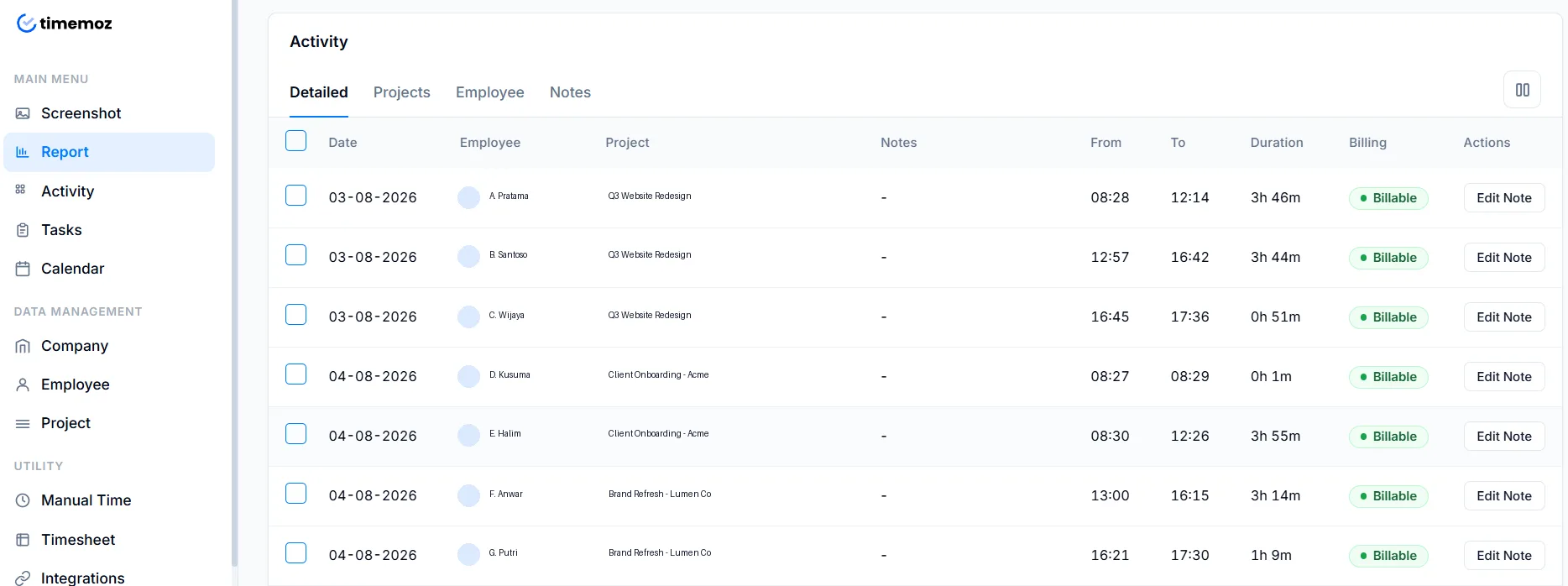
Clockify plans, pricing, and screenshot policy verified against clockify.me/pricing and their screenshot documentation on 20 August 2026. Plans change, so check before deciding.
Timemoz customer, not Clockify
“Timemoz has really helped our operations, especially with our remote setup. We track work hours more accurately and attendance is simpler for employees and management.”
One plan for the whole team, not just 5 users
Full HD proof forever, no $7.99 add-on
Timemoz: Unlimited privacy shield captures in Full HD on Core. You control the shield, clear anytime, and hours stay accurate.
Clockify: no screenshots on Free or Standard, and you need Pro at $7.99 ($958.80/yr for 10 users).
Billable rates included, Clockify charges $5.49
Timemoz: Multiple rates per person or project are included in Core (2 user minimum). No upgrade needed to bill clients.
Clockify Free has no billable rates at all.
Approvals included in Core, Clockify charges $5.49
Timemoz: Timesheet approvals and budgets are included in Core for teams.
Clockify approvals require Standard at $5.49, $658.80/yr for 10 users.
1-click report clients trust
Timemoz: Time, proof, budget health, and Approved status in a single file.
Clockify reports carry no proof attached.
Clear a capture, hours stay 100% accurate
Timemoz: Clear any capture anytime, proof without surveillance, and no 10-minute penalty.
On Clockify Pro, regular users lose the 5-minute interval when they delete a capture.
Whole team on Core, save up to $360/year
Timemoz: Core $4.99/user/mo billed annually, 2 user minimum. Try Free for 14 Days, no credit card.
Clockify: Free 5 users max, Standard $658.80/yr, Pro $958.80/yr for 10 users.
Where Clockify wins and why we tell you
We show this to build trust and reduce churn.
Brand awareness & Free plan marketing
Clockify: Very well known, with generous marketing of a Free plan for up to 5 users doing simple tracking.
Timemoz: Paid from 2 users, but proof, approvals, and budgets are included with no add-ons. If you need just a timer for 5 users and no proof, Clockify wins.
Simple timer for freelancers
Clockify: Simple UI and a quick start for freelancers who do not need billing proof.
Timemoz: Same simplicity plus proof without surveillance. If you want no proof capture at all, Clockify Free wins.
Free plan: who fits a small team?
Clockify: Free is limited to 5 users max, with no billable rates or screenshots. You need Standard at $5.49/user ($658.80/year for 10 users) just to bill.
Timemoz: Timemoz has no permanent Free plan, but you can Try Free for 14 Days. Core is built for teams: 2 user minimum, unlimited users and projects, approvals, budgets, and billing rates, so it keeps going past 5 users.
Manual entry & admin cost vs automatic timer & included screenshots
Clockify Free relies on manual time entry in the timesheet, so admin work grows. Admins chase entries, fix mistakes, and approve hours with no proof, while Timemoz uses an automatic timer and included screenshots backed by a privacy shield.
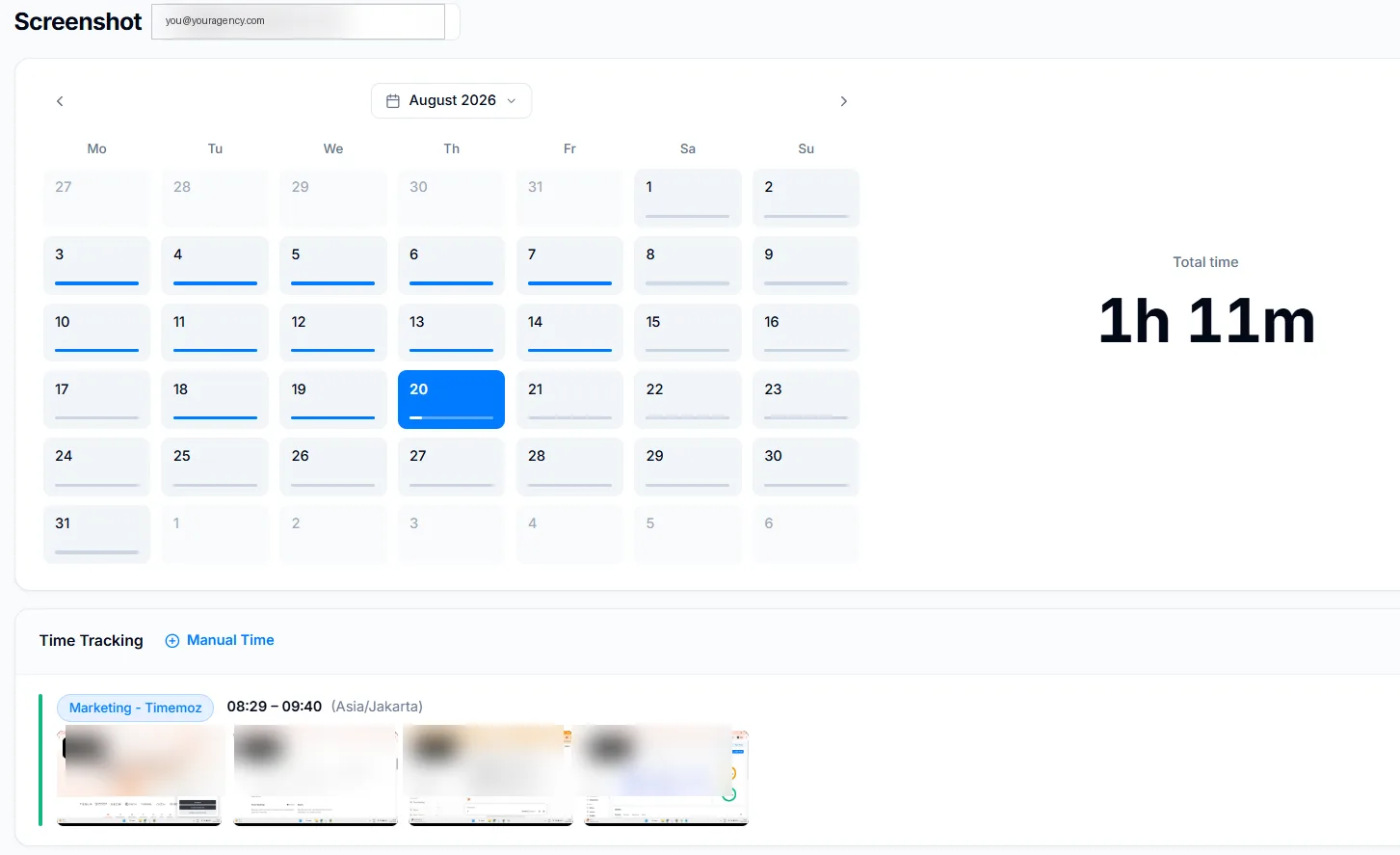
Clockify: the manual entry problem
- Daily/weekly manual entry, easy to forget, log late, or misreport hours
- Admins have to chase timesheets and approve them without proof
- No screenshots on Free or Standard, hours can't be independently verified
- Hidden cost: admin time spent cleaning up and correcting timesheets
Timemoz: automatic timer + included screenshots
- Automatic timer with start/stop, no manual guesswork
- Full HD 1920×1080 screenshots, unlimited count, kept forever, proof at no extra cost
- Privacy shield is user-controlled (blur/clear); clearing a capture carries no penalty and hours stay 100% accurate
- Less time chasing and correcting timesheets, since proof is captured automatically
Illustrative example
Manual timesheets: a 10-user team relying on manual entry can spend several hours a month chasing and fixing timesheets.
Automatic + screenshots: less chasing, with proof captured automatically in Timemoz Core. Clockify Pro is $7.99/user ($958.80/yr for 10 users) just for screenshots.
Potential savings: up to $360/yr, plus admin time back
Try Free for 14 Days| Feature | Clockify (Free & Standard) | Timemoz Core $4.99/user |
|---|---|---|
| Time input | Manual entry, higher admin overhead, forget-prone | Automatic timer + optional manual entry, less admin overhead |
| Screenshots for proof | Free: none · Standard $5.49: none · Pro $7.99: yes, admin-only blur | Core: unlimited Full HD, kept forever, user-controlled privacy shield |
| Privacy control | No screenshots on Free/Standard. On Pro, members can delete their own but lose the 5-min interval; only Owner/Admin deletes without cutting time | User can clear anytime, no penalty, hours stay 100% accurate |
| Admin workload | High, chasing, editing, no proof to approve | Low, automatic proof plus included approvals |
Lost data after updates vs history kept forever & audit-safe reports
Some Clockify users describe history and export limits on the Free plan in online forums (unverified by us). Timemoz is built around audit-ready record keeping: history kept forever and audit-safe reporting.
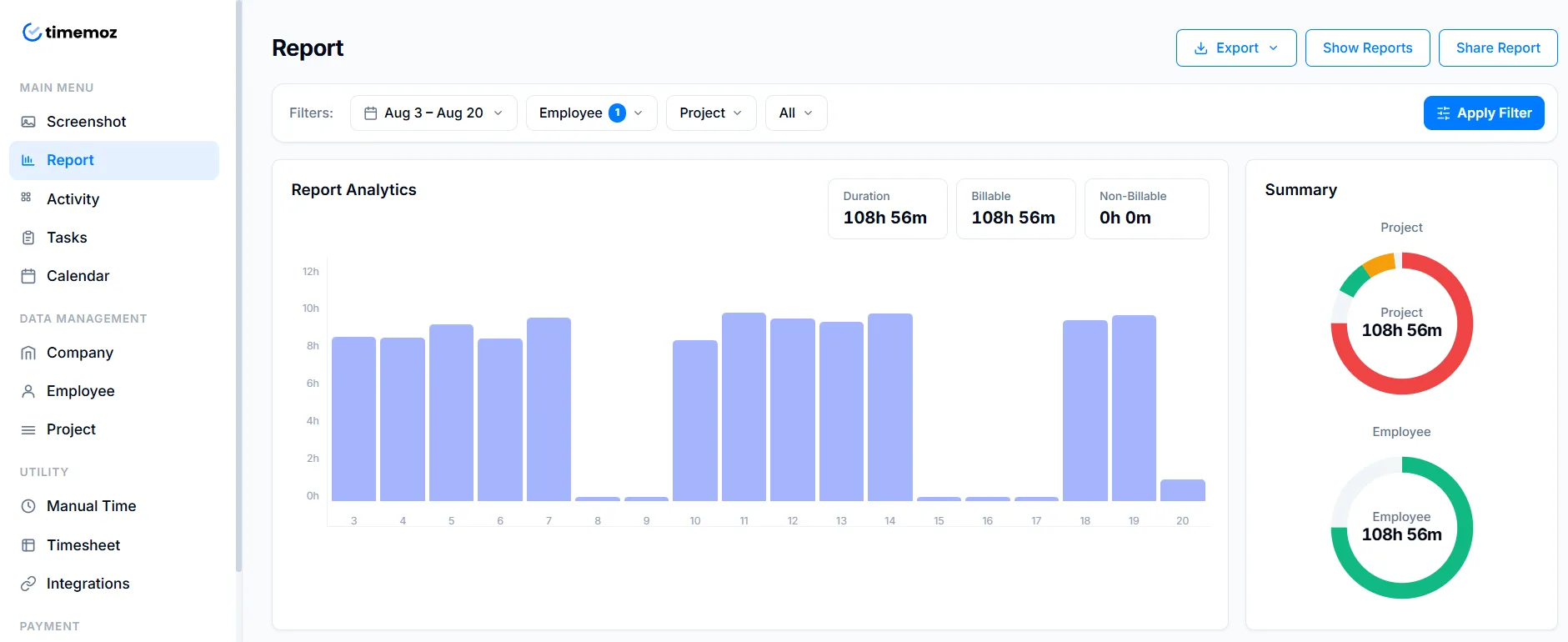
Clockify: reported data concerns
- Some users have described data disappearing or changing after app updates in community forums (unverified)
- Free plan has limited history, without a clear audit trail for clients
- Reports aren't locked: they can be edited without a change log, which isn't ideal for audits
- No stated guarantee of long-term proof for older invoices or client audits
Timemoz: history forever & audit-safe
- Time history kept forever on Core, entries stay linked to proof
- Full HD captures kept forever on Core, proof stays linked to logged hours
- Audit-safe reports: a 1-click report locks in Approved status, budget health, proof, and rates, changes require a log
- Forever data on Core ($4.99/user), priced below Clockify Pro's $7.99/user
Why this matters for agencies
For agencies billing $5k–$20k/month, losing even a week of time data can mean real lost revenue. Timemoz Core includes history kept forever at no extra cost, while Clockify Free does not offer this.
Client audits typically need proof plus an approved timesheet. On Timemoz, Approved status is locked once finalised, while Clockify Free does not include approvals.
| Safety feature | Clockify Free / Standard | Timemoz Core |
|---|---|---|
| Data loss after updates | Some user reports in community forums (unverified) | Includes audit logs plus roles & permissions. |
| Time history | Limited / unclear on Free | Core: forever at $4.99/user |
| Screenshot retention | Free & Standard: 0 days · Pro: limited (paid) | Core: forever, unlimited count, Full HD |
| Audit-safe reporting | No approval lock on Free, editable without a trail | Locked report: Approved + budget + proof + rates |
| Audit-ready without add-ons? | No approval lock or audit trail on Free | Audit-safe reporting included in Core |
FAQ, Clockify alternative with proof
Timemoz Core includes a privacy shield that captures Full HD 1920×1080 screenshots kept forever, user-controlled, with no penalty for clearing a capture. Clockify has no screenshots on Free or Standard, and only offers admin-controlled blur on Pro ($7.99/user, $958.80/yr for 10 users). Privacy shield.
Proof of work, not surveillance. Try Free for 14 Days.
Clockify Free is capped at 5 users with no billable rates or proof, so you need Standard at $5.49/user/mo to approve and bill. Core (2 user minimum) includes unlimited users and projects, approvals, budgets, billing rates, plus unlimited Full HD privacy shield captures kept forever.
Try Free for 14 Days · No credit card · Cancel anytime
- ✓Unlimited projects & users (2 user min), Clockify Free is 5 users max
- ✓Privacy shield captures in Full HD, kept forever on Core. Clear anytime, hours stay 100% accurate
- ✓Multiple billable rates per person/project included in Core. Clockify Free has no rates, Standard $5.49
- ✓Timesheet approvals + project & client budgets included in Core, Clockify Standard $5.49 ($658.80/yr for 10 users)
- ✓1-click client-ready report with proof, budget health, and Approved status
- ✓Proof without surveillance, privacy shield in your hands, clear a capture with no 10-min penalty
- ✓Time history and Full HD captures kept forever on Core