Your rules for manual time
Many teams asked for more control over manual time entries. Admins now have a Manual Time tab on the Company page, where they choose how entries are approved:
- No approval needed
- Everything needs approval
- Auto-approve up to a limit, per day or per week
You can set a different limit for each employee, mark someone as "always needs approval", or apply one setting to everyone at once. Auto-approved entries are labelled in approvals and timesheets, so you can still see them.

Overtime reports ready for payroll
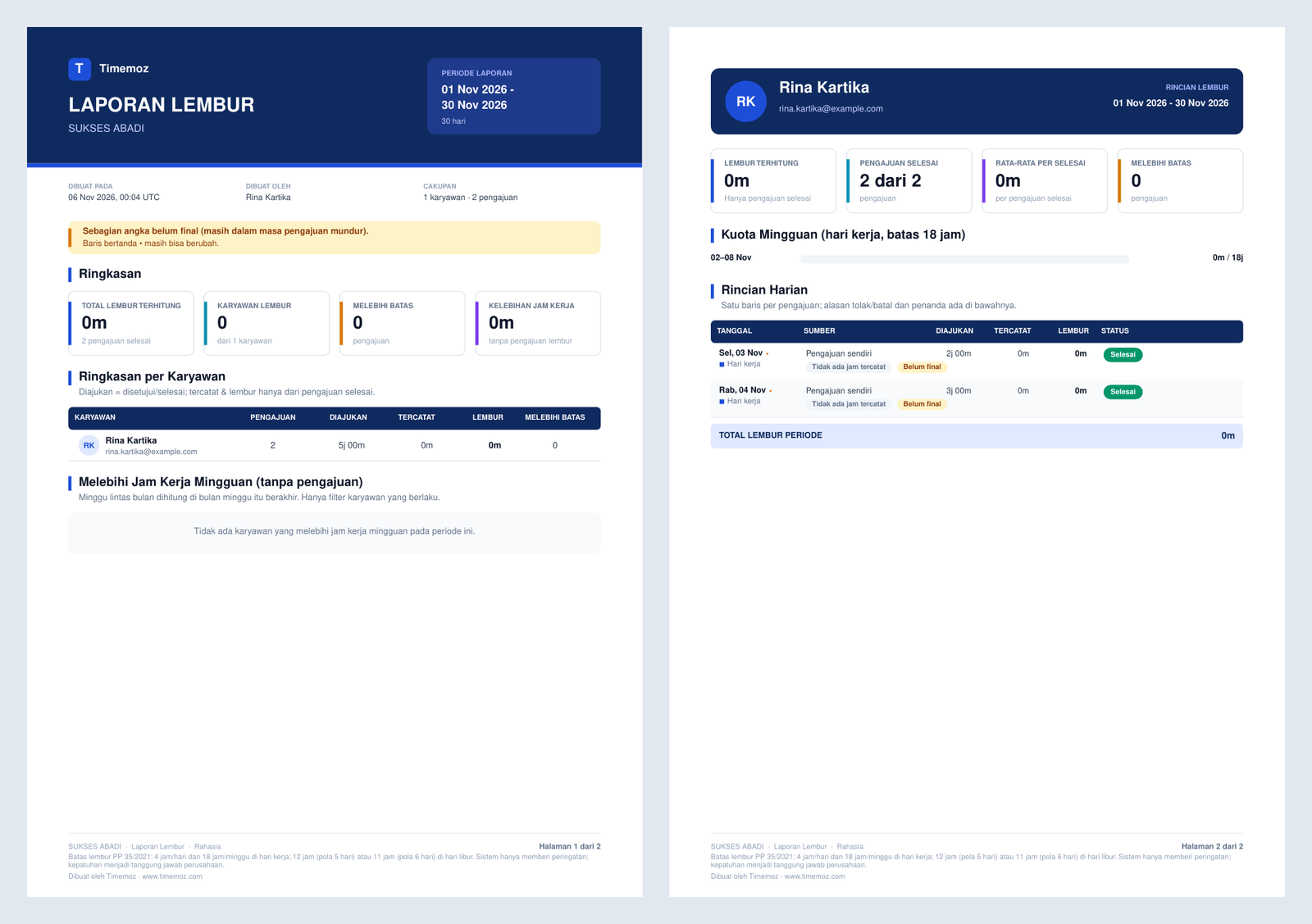
Overtime reports have a new PDF layout, and you can export them to Excel in a format ready for payroll. Each employee's rows also show when a daily or weekly overtime limit was exceeded.
Your tracked time is safer
We fixed a rare problem where a long work session could be saved as just a few seconds. It happened when the same session reached our servers twice at almost the same moment: the server then ignored every later update to that session. The server can no longer create that duplicate, even when two requests arrive together.
If approved manual time overlaps a session you're tracking live, the live session now keeps running and the manual entry is trimmed around it, so the two no longer block each other.
A quicker dashboard during working hours
Heavy maintenance tasks, such as compressing old screenshots and syncing ClickUp and Jira, used to run in the middle of the Indonesian working day. They now run overnight (WIB). We also made the check the desktop app sends every minute while you track much lighter for our servers. Together these leave more room for you during office hours.
Smaller improvements
- Opening the dashboard from the desktop app. "Open in browser" no longer signs you out of the dashboard when the desktop app logs out, and your screenshots now load there.
- No more dead-end error screen. If the dashboard hits an unexpected error, you'll see Reload and Sign out buttons instead of a blank page.
- Shared report links last longer. Report links you share now stay valid for a year instead of one day.
- Sales tracker guide in English. The sales tracker user guide is now available in English.
Questions or feedback? Contact support